

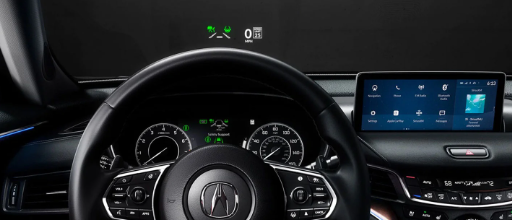
When you visit your Acura dealer, you will learn a little about your new vehicle’s infotainment system. We want to help you maximize its capabilities. Read on to learn about our favorite features and how to use them.
Your Acura Dealer’s Tips and Tricks for the Infotainment System
Remote Connectivity
When you get your new Acura, download the AcuraLink app to activate your free trial. The app will sync your smartphone with your vehicle’s system, giving you remote connectivity in the palm of your hand. You will be able to access your vehicle’s details such as tire pressure, fuel levels, and oil life. It will also allow you to control some of your vehicle’s features like lock/unlock, start/stop, and cabin temperature.
Getting Around
If you have the in-vehicle navigation system, AcuraLink will make finding your destination easy by casting directions to your car’s infotainment screen, and you can save destinations so they can easily be called up in the future. Acura drivers love the Personal Concierge feature, which connects subscribers with a customer service agent at the push of a button. Your concierge can send directions to your display screen, make dinner reservations, and even book hotel rooms and flights for you.
Smartphone Compatibility
Wirelessly connect your smartphone to your infotainment touchscreen with Apple Car Play or Android Auto, allowing you to access apps via the touchscreen display. You can stream music, listen to audiobooks, and get driving directions. Use your voice to activate Siri or Google to make phone calls and send text messages without taking your attention off the road.
Touchpad Interface
If your vehicle is equipped with the ergonomic True Touchpad Interface, you will be able to conveniently control your infotainment display screen and access your phone’s synced features. Spots on the touchpad correspond to specific spots on the screen, allowing you to keep your eyes on the road while executing tasks.
Peace of Mind Features
When you activate your free Security Package trial, you will have convenient access to roadside assistance with automatic collision notification. In the event your vehicle is stolen, your car can help authorities locate it. For extra safety, you can wipe your personal data from your vehicle’s system, so the thieves won’t be able to access your saved destinations.
If you plan to let your teenager drive your Acura, you can set a geofence so that you will be notified if the car is taken outside your set boundaries. In addition, you can set a speed limit and will be alerted if that limit is exceeded. It’s the closest you can get to being in the car with your teen.
Are you excited to get started with these cutting-edge features? Check this system out for yourself by visiting us at Open Road Acura of Wayne in Wayne, NJ where we will treat you like family.
Connect with us

